 DevDocs
$ devdocs --offline
Developer documentation, offline on your Android phone
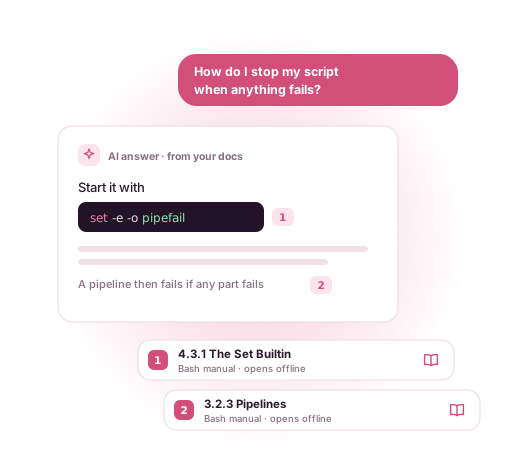
DevDocs downloads the docs you use, from Python and Kotlin to React and Django, and indexes them on your device. Search every installed docset at once and read pages with no connection at all. Coming soon with DevDocs Pro: ask AI about your docs and get answers that link to the exact page.
 Get it on Google Play
- Free, no limits
- No account
- No ads
- 806 docsets in the Store
How it works
An offline docs app for Android, in three steps
DevDocs is a developer docs offline reader: a small app that keeps a local, searchable copy of the documentation you choose.
Pick your docsets
Open the Store and browse 806 documentation sets by category, or search for the one you need.
Download once
Tap Download. DevDocs fetches the docset in the background, resumes if the connection drops, and indexes it on your phone.
Search and read offline
Search every installed docset at once, open a page in the reader, bookmark it. No network needed from here on.
One search, every docset
Programming documentation offline, searchable like an IDE
Each docset comes with an index of its entries: classes, functions, methods, properties, keywords, guides. DevDocs copies that index into a local database, so a search runs against your phone, not a server. Results show the docset and the entry type, and you can narrow them to one docset.
Below is what a search for groupby can return when Python, Kotlin and Pandas are installed. The entries are real names from those docsets.
- itertools.groupbyPythonFunction
- groupByKotlinFunction
- pandas.DataFrame.groupbyPandasMethod
- groupingByKotlinFunction
Illustration, not a screenshot.
Free features
Everything in the app is free
No trial, no docset limit, no ads. The only limit is the storage on your device.
Search across docsets
One search box for everything you have installed, with results labelled by docset and type. Recent searches come back as chips.
A reader made for code
Light, dark and sepia reader themes, four text sizes and adjustable reading width. Links between pages work offline, and back returns to where you were.
Bookmarks to the section
Save any entry and it reopens at that exact section, named after the entry rather than the file.
Downloads that finish
Background downloads keep going when you leave the app and resume after a dropped connection. Optional Wi-Fi-only mode.
Browse a docset
Open one docset to see its entries, filter them by type, or search inside just that docset.
Phones and tablets
Material You colours on Android 12+, dark mode, and a navigation rail in landscape and on large screens.
The catalogue
806 documentation sets, ready to download
DevDocs reads the open docset format and lists 181 official docsets, 624 community-contributed ones and one published directly by its project. Popular ones have their own page here:
- Python 16,146 entries
- Kotlin 12,301 entries
- Java 59,956 entries
- JavaScript 9,447 entries
- Android (Kotlin) 200,572 entries
- React 1,369 entries
- Django 5,705 entries
Languages
Python, Java, Kotlin, JavaScript, TypeScript, Go, Rust, C, C++, Swift, PHP, Ruby, Dart, Scala, Bash, Lua, R, Perl, Elixir, Haskell, Julia, OCaml…
Web
HTML, CSS, HTTP, SVG, Sass, Less, Bootstrap, jQuery, Markdown, Pug, Twig…
Frameworks
React, Angular, VueJS, Django, Flask, Express, Laravel, Ruby on Rails, Spring Framework, Symfony…
Mobile
Android (Kotlin), Flutter, Ionic, Cordova, Unity 3D…
Databases
PostgreSQL, MySQL, SQLite, MongoDB, Redis, Elasticsearch, CouchDB, SQLAlchemy…
DevOps and tools
Docker, Nginx, Ansible, Vagrant, Man Pages, Vim, CMake, Gradle, NumPy, Pandas, Matplotlib…
Inside the app
A store, a library and a reader made for code
The parts of DevDocs you use every day, all of them free and all of them offline once a docset is installed.
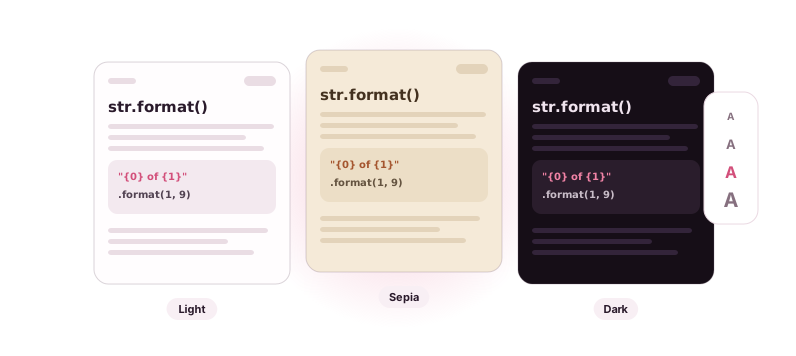
Reader themes
Light, dark and sepia pages, four text sizes and an adjustable reading width. Code blocks stay easy to read in all of them.
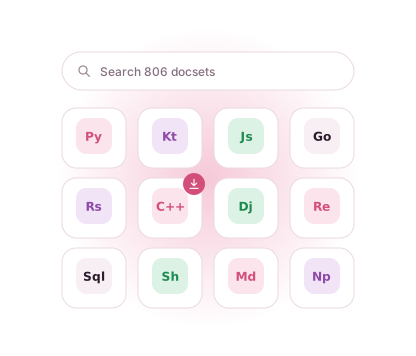
806 docsets in the Store
Browse by category or search by name, then download in the background.
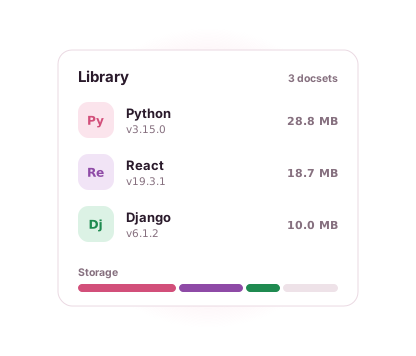
Your library
Every installed docset with its version and the storage it uses.
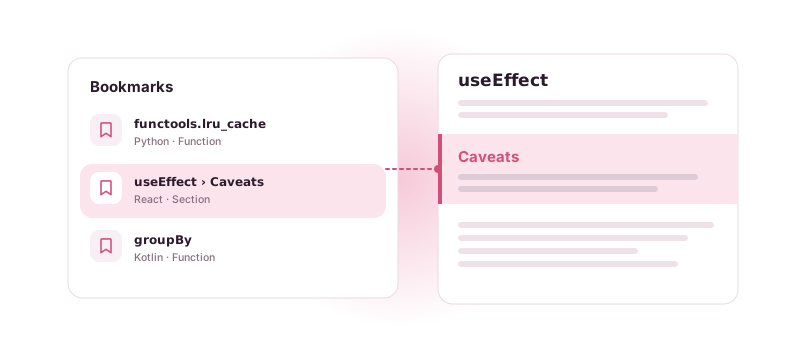
Bookmarks that open at the section
A saved entry is named after the entry, not the file, and reopens exactly where you left it, for example at the Caveats of useEffect.
Free, private, offline
Your docs stay on your phone
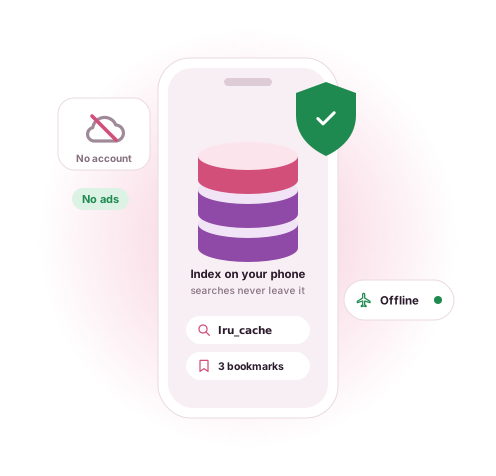
The internet is used to download docsets and check for docset updates. Reading, searching and bookmarking happen on the device. There is no account, and your searches and bookmarks are not sent anywhere.
To fix crashes and see which screens are used, the app sends anonymous usage statistics and crash reports. The privacy policy has the details.
DevDocs has no ads. If it helps you, you can leave an optional tip from inside the app. It unlocks nothing; everything stays free.
Coming soon Not on sale yet
DevDocs Pro: ask your docs
We are building an optional subscription that adds new tools on top of the free app: questions answered from your downloaded docs with links to the pages they come from, Explain this for any selected code, search by meaning, flashcards, tabs and split view. Nothing that is free today will move into Pro.
FAQ